

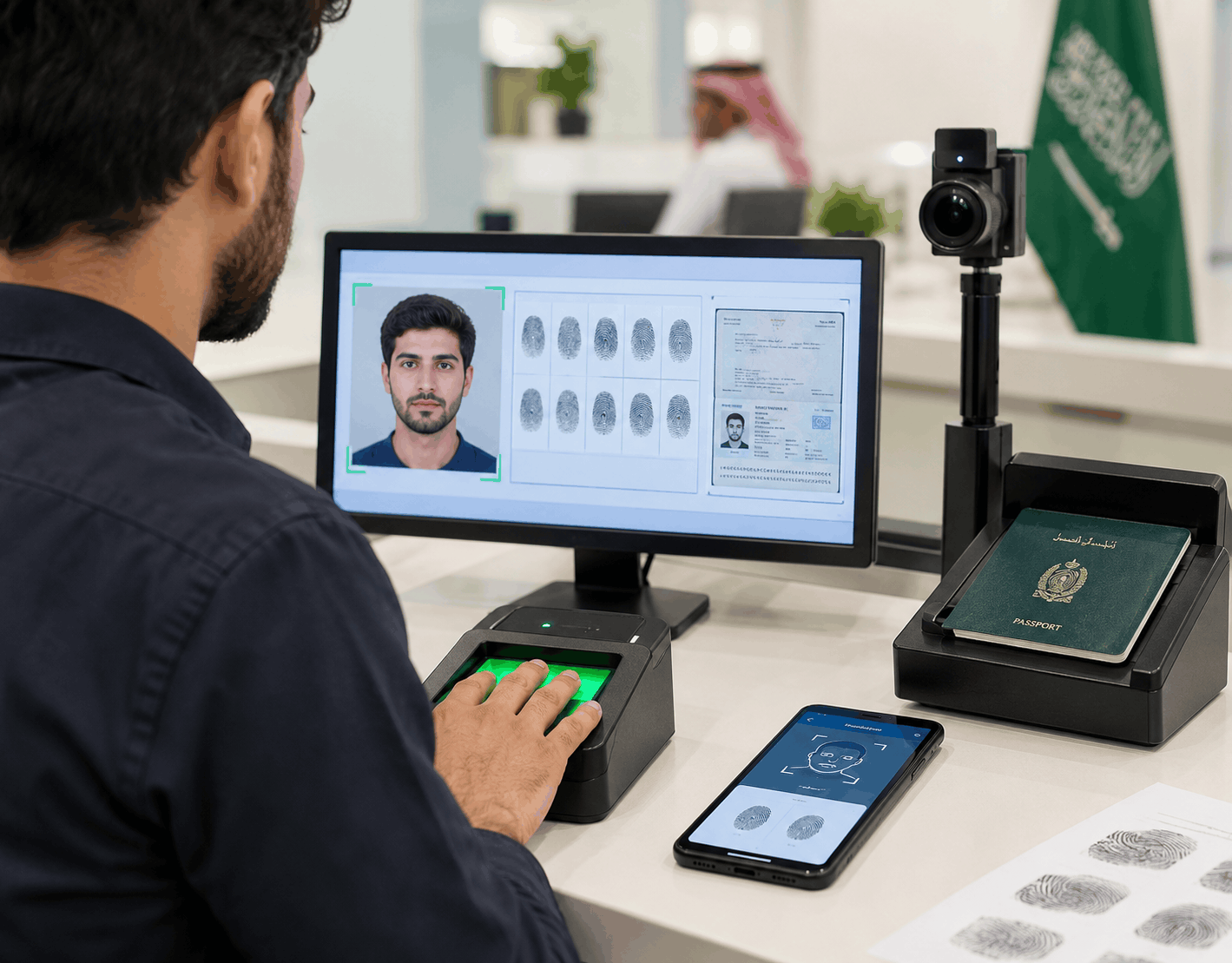
Biometric capture is the step where Saudi authorities record your identity. They take your passport details, fingerprints and a facial image so they can match you at the border and link everything to your visa file. How it works depends on the type of visa you are applying for and the country you are in. Not every Saudi visa follows the same process.
When You Might Need to Give Biometrics
Most work visas, family and visit visas, and certain religious visas such as Umrah require biometrics. Some applicants complete this at an authorised visa centre. Others, especially for selected Umrah applications, can do it through the official Saudi Visa Bio app on their phone. Always check the instructions that came with your own application, as the rules are not the same for every visa type or nationality.
What Actually Gets Captured
Passport scanning
They scan or photograph the bio data page of your passport. This simply links the biometric data to the passport number and personal details already in the system.
Fingerprints
You will normally give all ten fingerprints. At a centre, you use a clean digital scanner with no ink. If you are using the Saudi Visa Bio app, you take photos of your thumbs and the four fingers of each hand with your phone camera. The system needs clear, readable ridge detail.
Facial image
A live photo of your full face is taken. Keep a neutral expression, keep your eyes open, and make sure nothing covers your face. Sunglasses or tinted glasses are not allowed. If you wear a head covering for religious reasons, that is usually fine as long as your face, forehead and as much of your ears as possible remain visible.
How to Prepare
Keep your fingertips clean and dry. Avoid henna, cuts, abrasions or any temporary markings that can stop the scanner or camera from reading them properly.
If you are going to a centre, wear something that contrasts with a plain background so the photo comes out clearly. Remove glasses unless you really cannot see without them.
If you are using the app, choose a well lit spot with a plain light background for your face and a dark plain background for your fingers. Make sure the phone camera is clean and the device is steady.
Applicants aged six and above are usually required to give biometrics. Those under 18 may need an adult with them if they are using the app. Very young children are sometimes handled differently or exempted, depending on the specific visa channel.
Common Problems That Cause Rejection
The biometric system (whether at a visa centre or through the Saudi Visa Bio app) needs clean, clear data. If the fingerprints or facial image are not readable enough, the system rejects the capture and asks you to try again. These are the most common reasons that happens:
- Dry or worn fingerprints: When the skin on your fingertips is very dry, or the ridges are worn down (common with older people or people who work with their hands a lot), the scanner or phone camera cannot pick up the unique pattern clearly.
- Leftover henna or small cuts: Henna, ink, cuts, abrasions or any marks on the fingertips can block or distort the fingerprint image. The system then fails to read the print properly.
- Hair or shadows covering the face: For the facial photo, the full face must be clearly visible. Hair falling over the face, or shadows from poor lighting, can make the image unusable.
- Poor lighting or a busy background (especially with the phone app): When using the Saudi Visa Bio app, the camera needs good, even lighting and a plain background. Too much glare, shadows, or a patterned or busy background often causes the face or fingerprint photos to be rejected.
In short, the system is strict about image quality. Anything that makes the fingerprints or face less clear can cause the capture to fail.
What Happens If the Capture Does Not Work
At a centre, staff will normally let you try again on the same day. If you have a temporary injury such as a cut or healing wound, they will usually ask you to return once it has healed.
With the Saudi Visa Bio app, the system may ask you to try several times. Switching phones, improving the lighting and background, or lightly moisturising dry fingertips often helps. If the app continues to fail, many people are directed to finish the process in person at an authorised centre.
Once the biometrics are successfully recorded, your visa file is updated. Until that happens, the application cannot move forward.
Get It Right the First Time
A clean biometric capture keeps everything on track. Tasheera Services helps applicants and employers prepare properly for this step so the appointment or app process goes smoothly. Reach out to our team if you would like practical guidance.